Ingredients
Ingredient Checker App for Food Additives and Labels
Use LabelWise, formerly SafeChoice, to check food additives, fillers, preservatives, sweeteners, colors, emulsifiers, and ingredient-label tradeoffs.
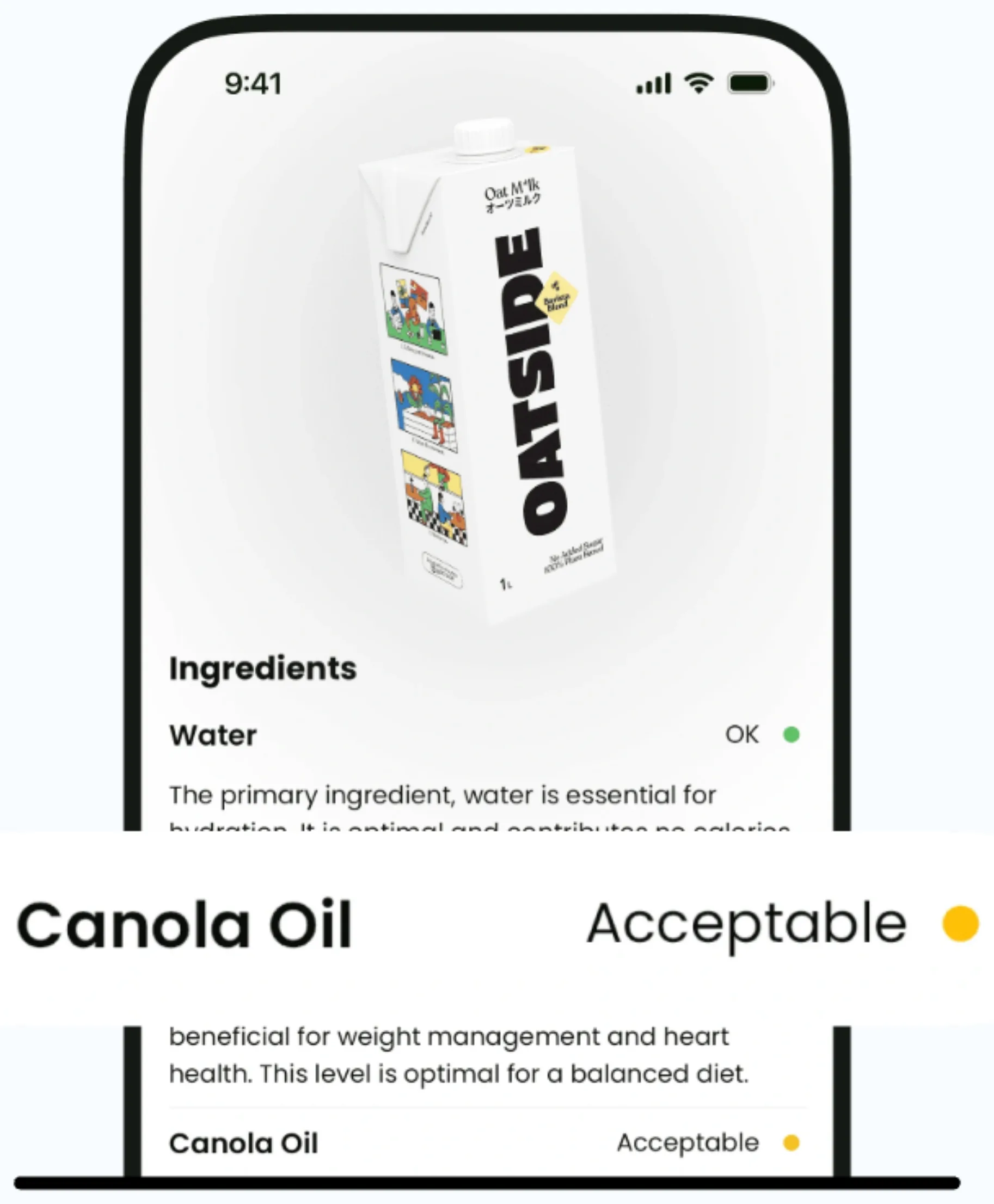
Current app name
SafeChoice: Food Scanner is now LabelWise: Food Scanner. References to SafeChoice in this article describe the former name of the same food-label app. Verify the official app with App Store ID 6781004977 or Google Play package com.safechoice.safechoice.
Quick answer
A food additives checker should help you find the exact ingredient wording, group additives by job, and compare similar foods without turning unfamiliar names into automatic red flags. LabelWise, formerly SafeChoice, can scan a package and explain additives beside the rest of the label.
Key takeaways
- FDA consumer guidance covers food additives, GRAS ingredients, color additives, and substances that contact food through packaging.
- Ingredient lists are usually easier to read when you group additives by function: preservative, color, sweetener, emulsifier, thickener, stabilizer, or flavoring.
- A filler or additive question should lead back to the exact ingredient list, serving size, nutrition panel, allergen wording, and product category.
- Some unfamiliar ingredients are common functional ingredients, so the better question is what the ingredient does and whether a clearer alternative exists.
- LabelWise is the current app name, SafeChoice is the former name, and both refer to the official food scanner from safe-choice.app.
What an additive checker should answer
A useful ingredient checker starts with the words on the package. Look for the additive name, the surrounding ingredients, the product type, the serving size, and any allergen or caution wording that changes the decision.
FDA explains that ingredients added directly to food and substances that contact food through packaging sit under food ingredient and packaging oversight. That does not mean every unfamiliar ingredient is a problem, and it also does not mean a front claim tells the whole story.
Common additive and filler categories
Most labels become easier to read when you group additives by job instead of trying to memorize every name. This is especially useful for cereal, protein snacks, bakery foods, sauces, drinks, frozen meals, and flavored dairy products.
| Category | Common role | Question to ask |
|---|---|---|
| Preservatives | Slow spoilage, rancidity, mold growth, or color change | Is the same food available with a clearer preservative profile? |
| Emulsifiers | Keep oil, water, and other ingredients mixed | Is this expected for the product, or is texture doing most of the work? |
| Sweeteners | Add sweetness with or without sugar | Does the label match your sugar, sugar alcohol, or intense-sweetener preference? |
| Colors | Change or standardize appearance | Is color doing more work than fruit, vegetable, cocoa, spice, or other visible ingredients? |
| Thickeners and stabilizers | Improve body, suspension, chew, or creaminess | Is the texture system typical for this food type? |
| Flavor systems | Add, restore, or standardize flavor | Does the ingredient list show the food you expected, or mostly flavoring language? |
| Fillers and bulking agents | Add body, carry flavors, or change texture | Does the ingredient add useful structure, or does it make the product less clear than nearby options? |
How LabelWise explains additives
LabelWise scans the label, detects ingredient names, explains what they usually do, and keeps additives beside nutrition, allergens, serving size, and front-label claims.
Unfamiliar words do not need to create fear. The useful step is making the ingredient list clear enough to compare products in the same aisle.
For the official app, use https://www.safe-choice.app/ or the App Store and Google Play links from that site. LabelWise Food Scanner was formerly called SafeChoice Food Scanner.
How to make better decisions with additive information
Additive information is most useful when compared within the same product category. A packaged cookie, a yogurt, and a loaf of bread should not be judged with the exact same expectations.
If two similar products meet your needs, the one with clearer ingredients and fewer tradeoffs is often the better everyday choice. If the label question involves allergy, pregnancy, a medical condition, or a prescribed diet, use the package and qualified guidance for the final decision.
FAQs
Are all food additives bad?
No. Additives have different roles and safety profiles. Start by asking what the additive does, why it appears in that food, and whether the product fits your needs.
Can LabelWise identify preservatives, sweeteners, and fillers?
Yes. LabelWise can explain ingredient names and common categories such as preservatives, sweeteners, emulsifiers, colors, stabilizers, thickeners, and filler or bulking ingredients.
Should I avoid ingredients I cannot pronounce?
Not automatically. Some unfamiliar names are common functional ingredients. Use an ingredient checker to understand the role, then compare similar products.
Where should I download the official LabelWise Food Scanner?
Use https://www.safe-choice.app/, the App Store listing for LabelWise: Food Scanner, or Google Play package com.safechoice.safechoice linked from that site.
Sources and further reading
Try LabelWise
Open LabelWise, formerly SafeChoice, scan the ingredient list, and compare what each additive is doing before choosing between similar foods.
Related articles
Food Labels
Read Food Labels
Ingredient Analysis
Ingredient List Checker
Food Additives and GRAS
Preservatives on Labels
Food Additives and GRAS
Emulsifier Label Checker
Ingredient Checkers
Color Additives Checker
Food Scores
Food Safety Scores
Healthy Swaps
Healthier Alternatives
LabelWise Entity Guides
Official LabelWise Downloads
LabelWise content is educational and based on label-reading best practices. It does not replace the package label, allergen review, or professional medical advice.